Ned Maps Open Hunt

Waypoints · tracks · GPX & KML

onX to Hunt

onX menus checked Oct 20, 2026

How do I move my onX waypoints to Hunt?

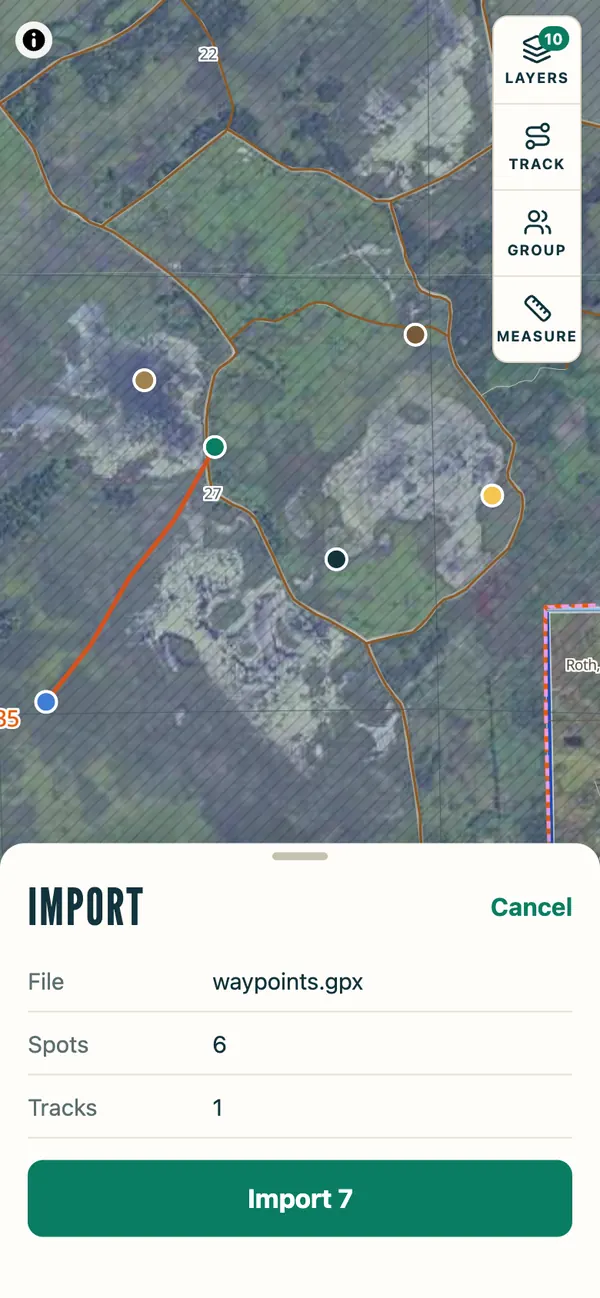
Export a GPX file from My Content in onX, then open it in Hunt. Hunt shows how many spots and tracks it found and draws them on the map before anything is saved. Spots you already have in Hunt are skipped, so importing the same file twice doesn't make copies. Your onX content stays in onX.

Three ways

Needs Hunt on your home screen: hunt.nedmaps.com in Chrome → ⋮ → Add to Home screen

onX simplified drawing
My Content Select
1My Content → Select, then tick what to move
3 selected
Export
2Export

Share

  Hunt     
3Share → Hunt
waypoints.gpx
Hunt
Hunt's import sheet over the map: waypoints.gpx, 6 spots, 1 track, and an Import 7 button; the spots and the track are drawn on the map
4Import
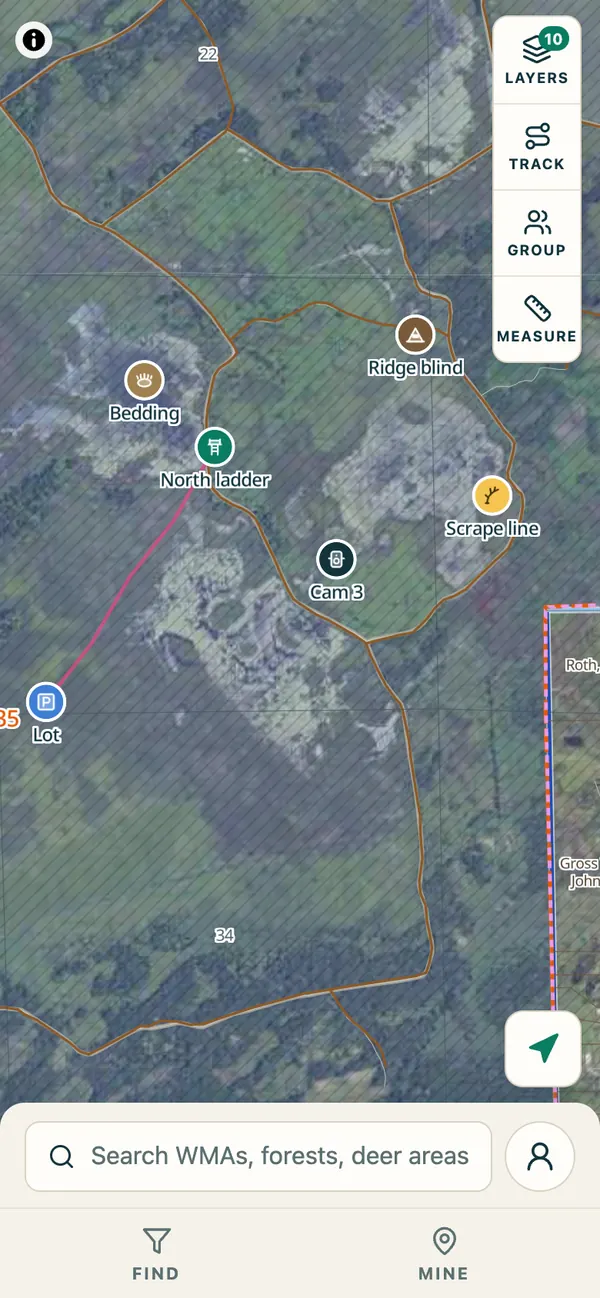
The imported spots on Hunt's map with their icons: North ladder stand, Ridge blind, Cam 3 trail camera, Lot parking, Bedding and Scrape line
5Your spots, with their icons

Through the Files app

onX simplified drawing
My Content Select
1My Content → Select, then tick what to move
3 selected
Export
2Export

Share

Copy
Save to Files
Print
3Save to Files
waypoints.gpx
Hunt
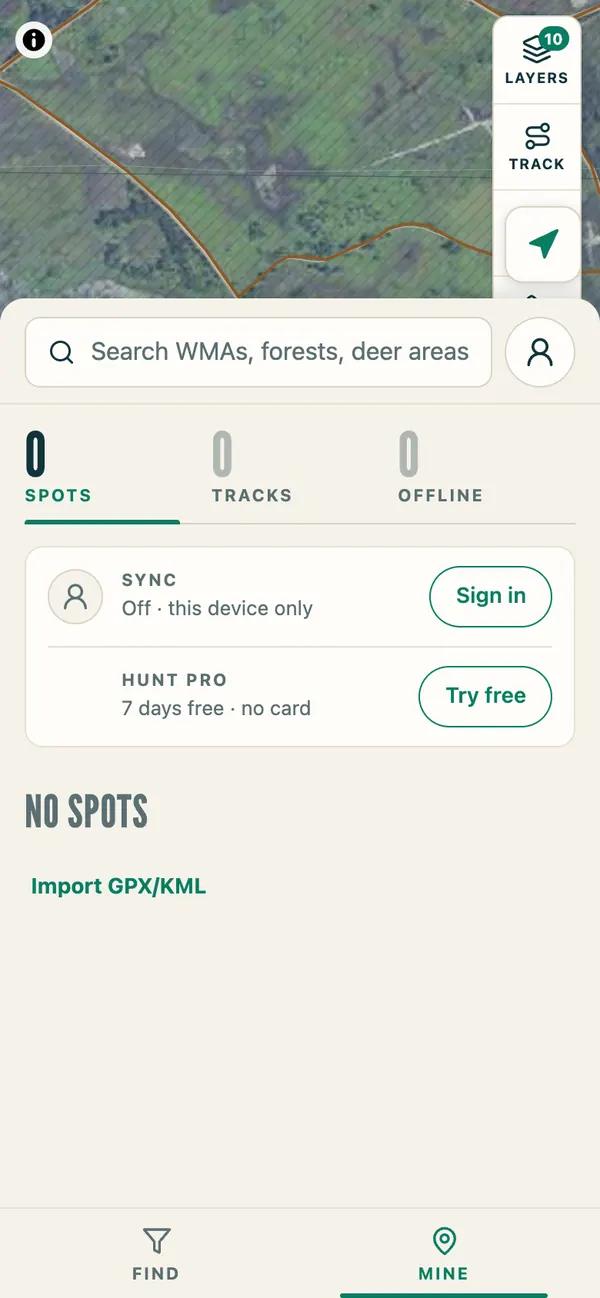
Hunt's MINE tab with no spots yet and an Import GPX/KML link
4MINE → Import GPX/KML, then the file
Hunt's import sheet over the map: waypoints.gpx, 6 spots, 1 track, and an Import 7 button
5Import
The imported spots on Hunt's map with their icons
6Your spots, with their icons

Everything at once. Signed in to Hunt, it syncs to your phone.
onX web map simplified drawing
webmap.onxmaps.com
My Content Select
Select All
1My Content → Select → Select All
webmap.onxmaps.com
2Export → GPX → Save
waypoints.gpx
Hunt
hunt.nedmaps.com
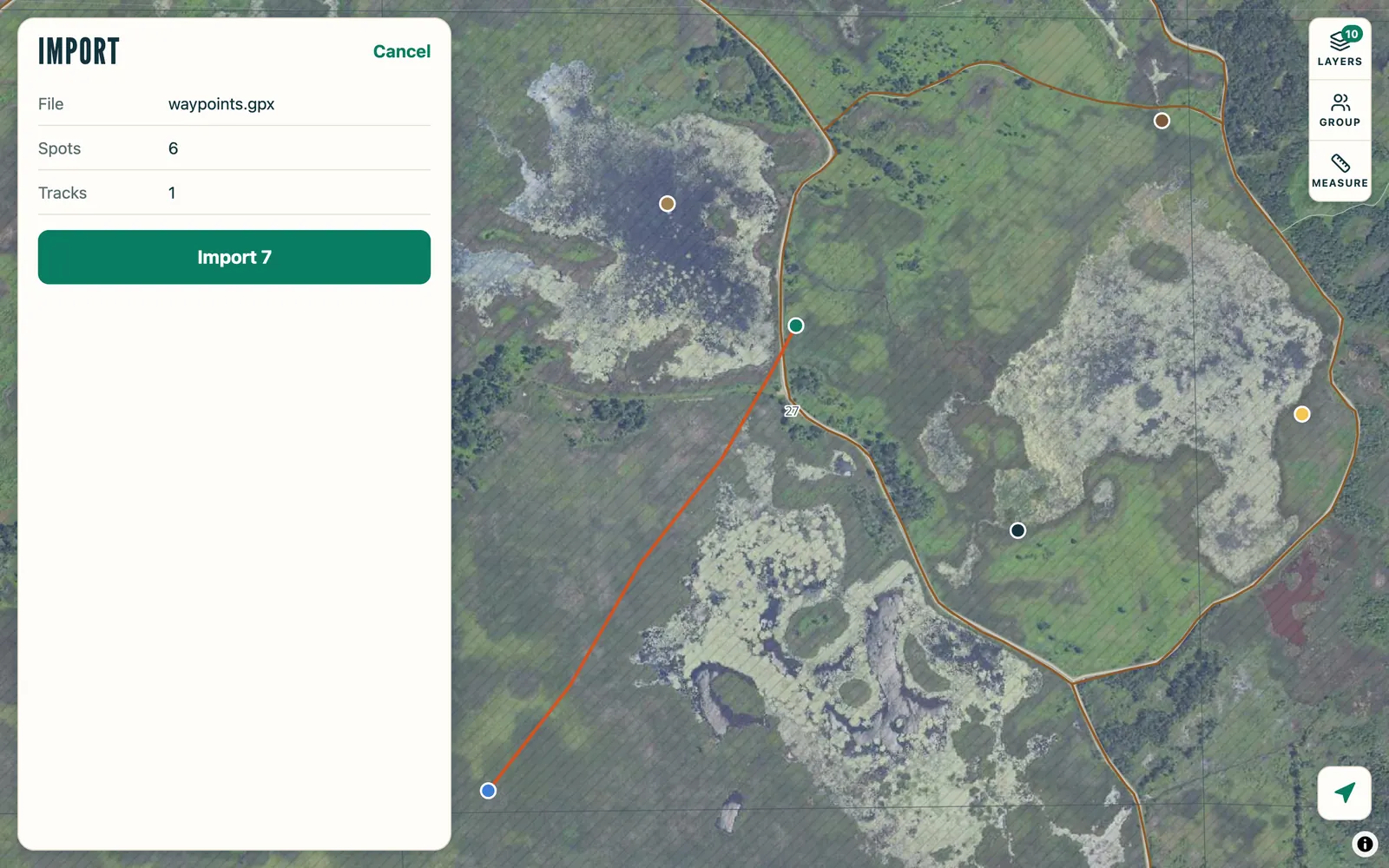
Hunt on a computer: the import sheet beside the map, waypoints.gpx with 6 spots and 1 track, and an Import 7 button
3Drop the file on the map → Import

What comes over

onXHunt
WaypointsSpots, with name and note
Waypoint iconsSpot kinds: stand, blind, trail camera, parking, bedding, scrape, harvest and more
TracksTracks, with times
Lines & areasTracks (an area as its outline)
PhotosNot in onX exports
ColorsNot kept

Hunt to onX or a GPS

EverythingMINE → Export GPX
One spotThe spot → Share → GPX file
A group's spotsGROUP → Export GPX

Hunt also opens GPX, KML and KMZ files from Gaia GPS, CalTopo, Google Earth and Garmin.

onX menu names from onX's own guide, Import and Export onX GPX Files. The onX app exports GPX; the onX web map exports GPX or KML.

onX is a trademark of its owner. Ned Maps isn't affiliated with onX.